How to Create a Subdomain in cPanel?
As a Best Hosting customer, you can create subdomains (separately from your main domain) in the Subdomains function in cPanel. For example, if you have a forum for your site, you can create a subdomain called “forum” and the address would be “forum.example.com”
Many people use subdomains for mobile versions of their websites, forums, blogs, and stores. They’re easy to create and we’ll walk you through setting one up now.
Create a Subdomain
STEP 1: Log into your cPanel
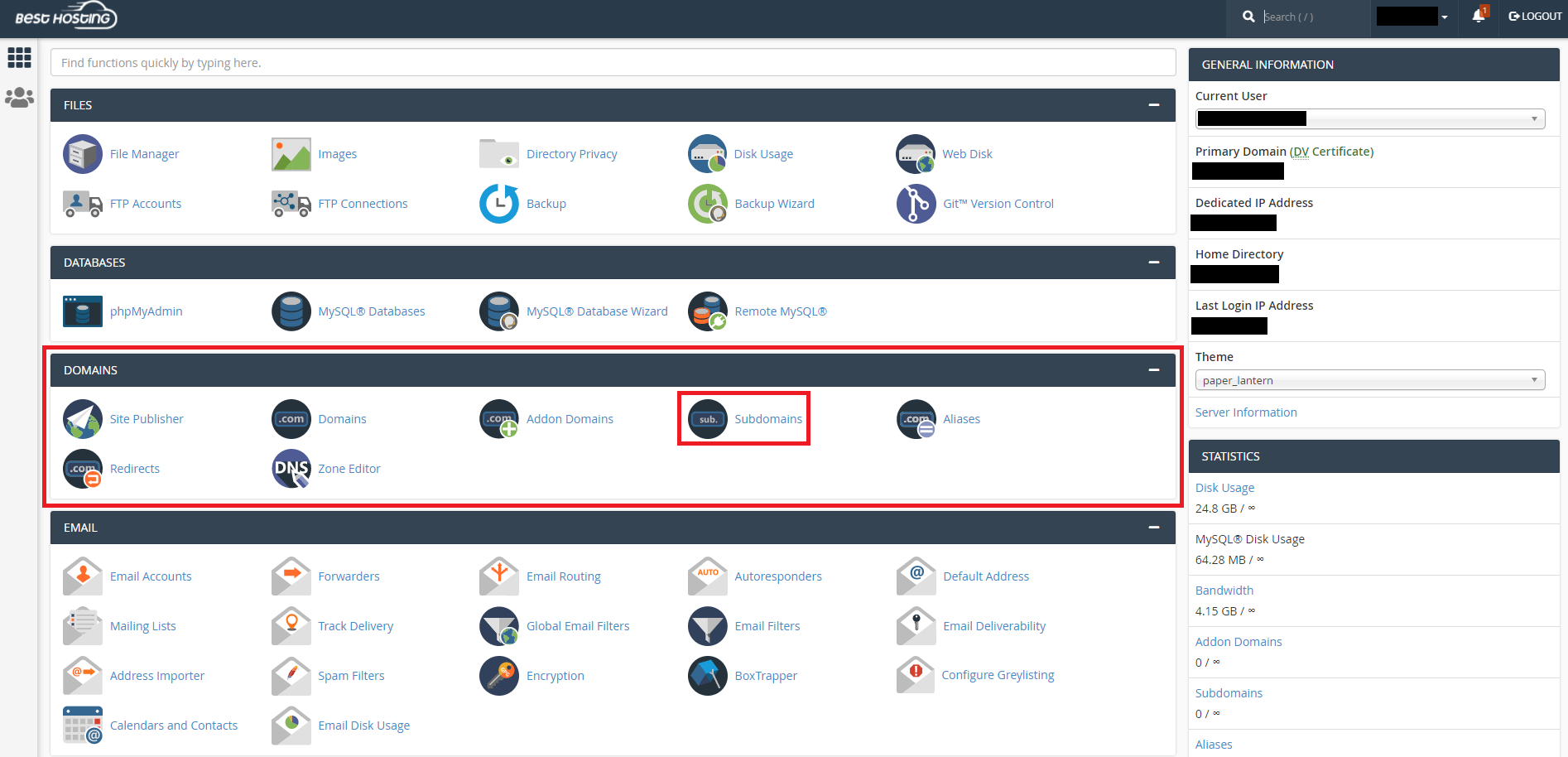
STEP 2: Go to the Domains section and click on Subdomains.
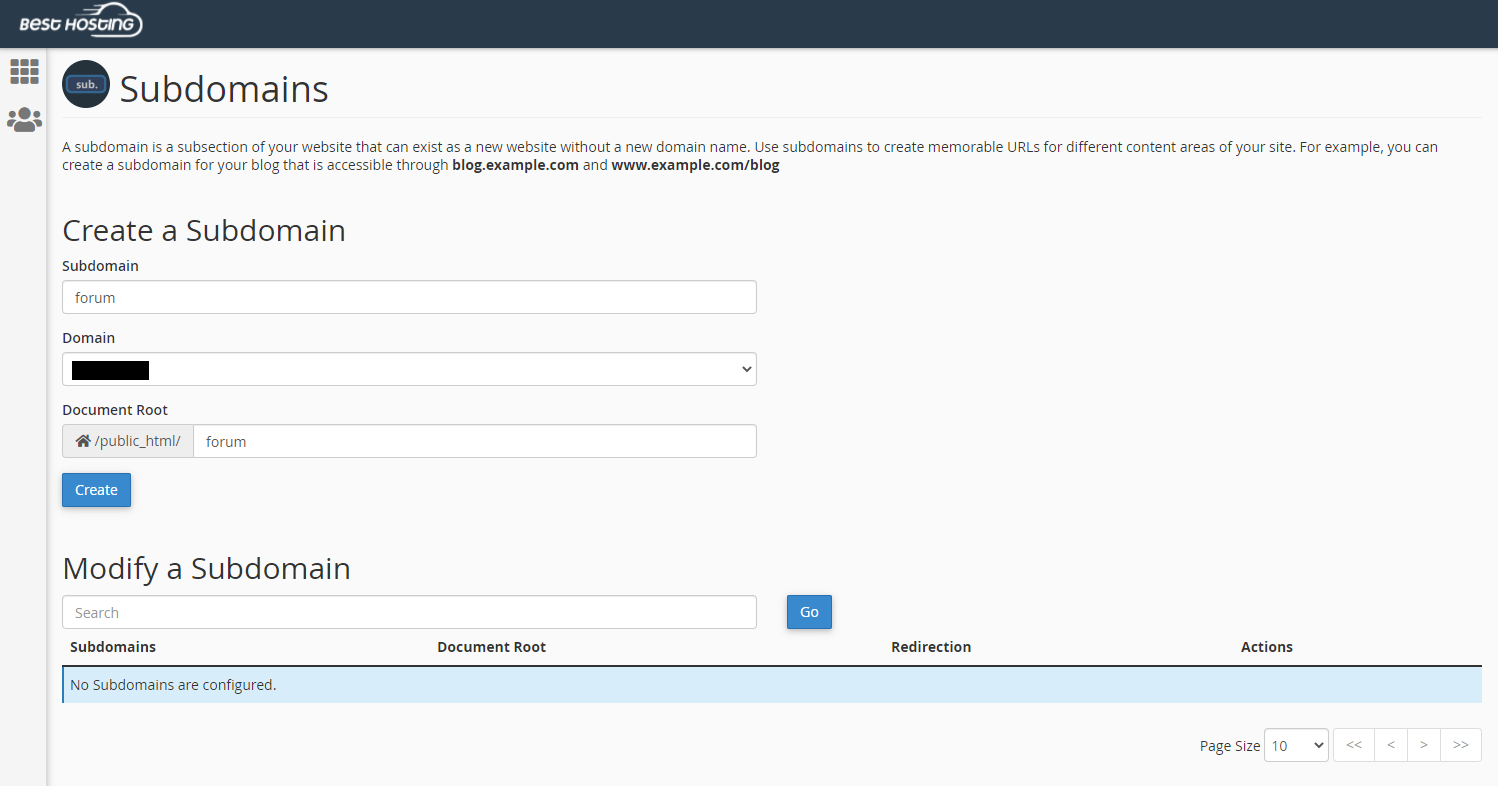
STEP 3: Type in the name of the subdomain and select the domain to create it under. It will automatically create a folder for the subdomain in your public_html folder.
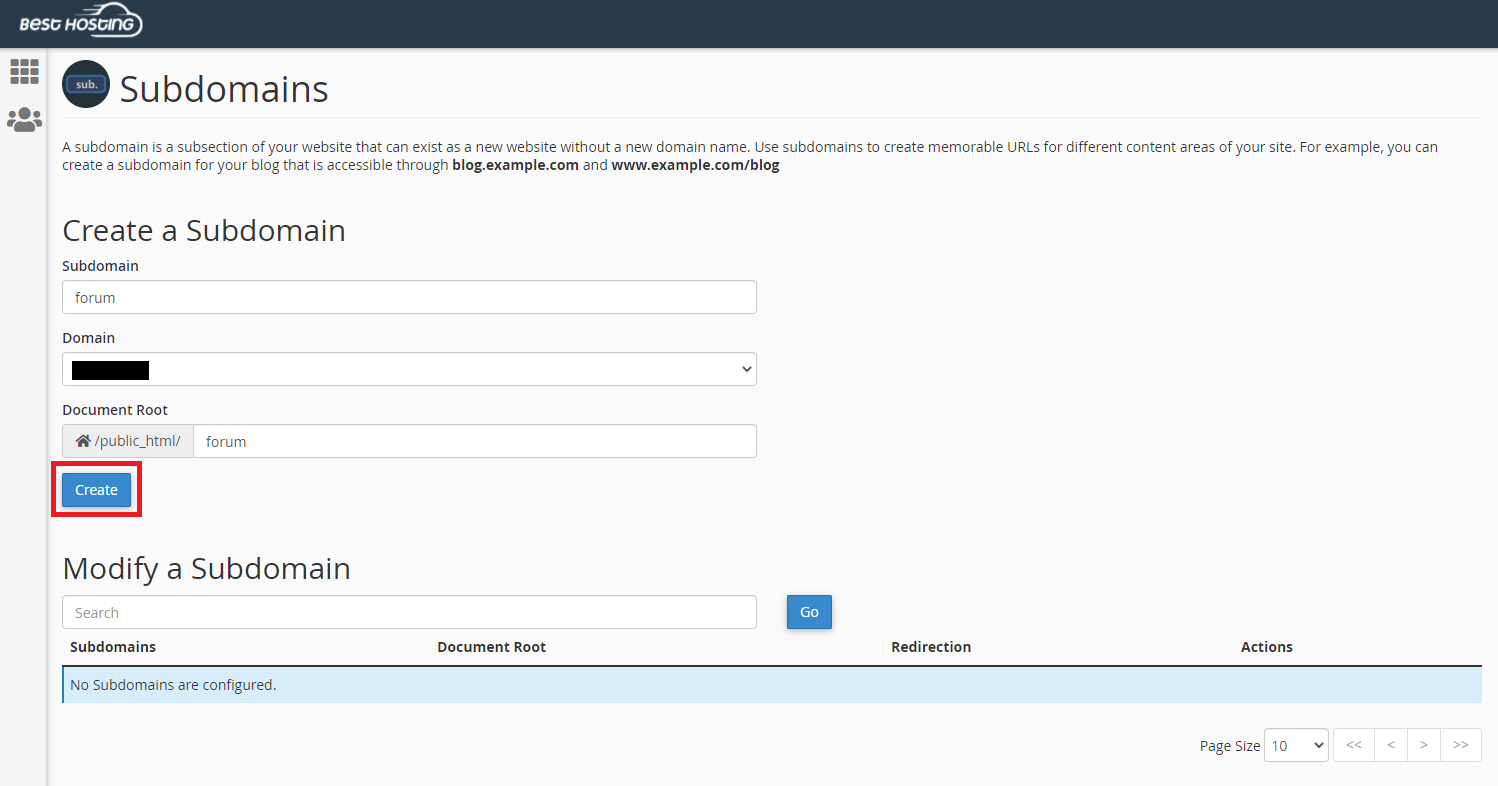
STEP 4: Click the Create button.
It can take up to 24 hours for a new Subdomain to propagate (show up on the web).
Congratulations, you have added your first subdomain!